 Chess Revision
Snap a board, paste a game or point your camera at a live one. Chess Revision reads the position, runs a cloud engine and shows you both the perfect move and the move a real player at your rating would actually find.
 iPhone & iPad
 Chrome
 Safari on Mac
 Firefox
Free to scan and analyze. Premium unlocks the live feed, human moves and the deep engine, on the phone and in the browser.

A perfect engine is everywhere. A live camera that follows a game, and a move tuned to your own rating, are not.
Point your camera at a board on a screen or a real set and Chess Revision reads each move the instant it lands. No pausing, no manual entry. The evaluation, the best line and the move classification keep pace with the game, so you watch the turning points happen live.

Stockfish tells you the perfect move. It never tells you what a real person would do. Powered by Maia, Chess Revision shows the move a human rated 1100, 1500 or 2100 would actually pick in your position. Train against your own band instead of a 3500 engine and learn the moves you can realistically find over the board.
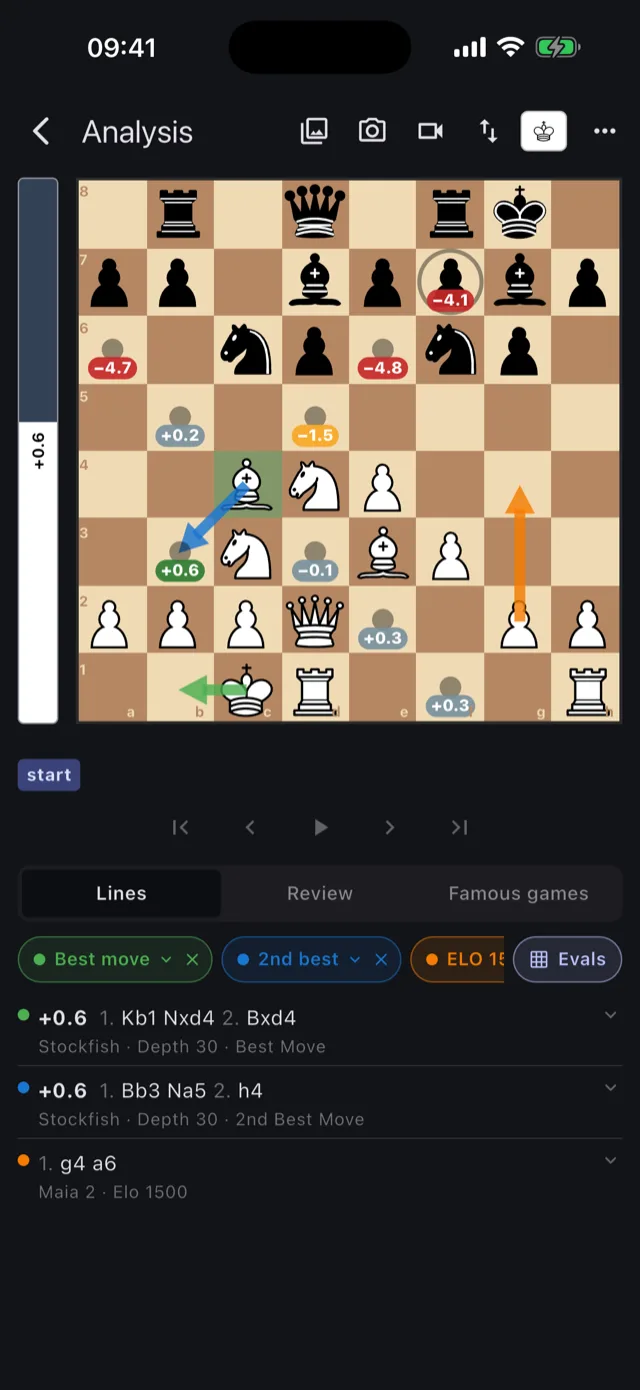
Tap a piece and Chess Revision scores every square it can reach, not just the one the engine likes. Each destination is stamped with its own evaluation and colour coded from best to blunder, so the choice you were agonising over resolves in a glance.

Run a full review and each move is rated from brilliant to blunder, with an accuracy score for both sides and a phase-by-phase breakdown. An evaluation graph traces the swings across the game, and one tap jumps you to the exact move that decided it.
How the game review works →
Snap a photo or screenshot of any 2D board and the position is recognised in seconds. Paste a FEN or a full PGN. Or pull your real games straight from Lichess or Chess.com by URL, id or username, then step through them move by move.
Analyze a position from a screenshot →The full toolkit, on iPhone and iPad.
A strong engine in the cloud analyzes every position to deep search, with the best line and the runner-up. Choose Stockfish 17, 18 or 19 in Settings: 17 answers quickest, 19 searches strongest.
The whole game on one curve. See momentum shift and tap any point to land on that move.
Brilliant, great, best, good, inaccuracy, mistake and blunder badges, scored the way you expect.
Tap a piece and each legal square is stamped with the eval that move leads to, shaded from best to blunder. Every option scored at your own engine depth. Premium.
Perfect play for positions up to seven pieces, straight from Syzygy. Free for everyone.
Browse a library of famous games and replay how the greats handled the same structures.
Positions are named as you go, so you always know which opening you are in.
Swipe through the app.


Start free. Go premium when you want the live feed and human moves.
Everything you need to scan and study.
The full experience, monthly or yearly.
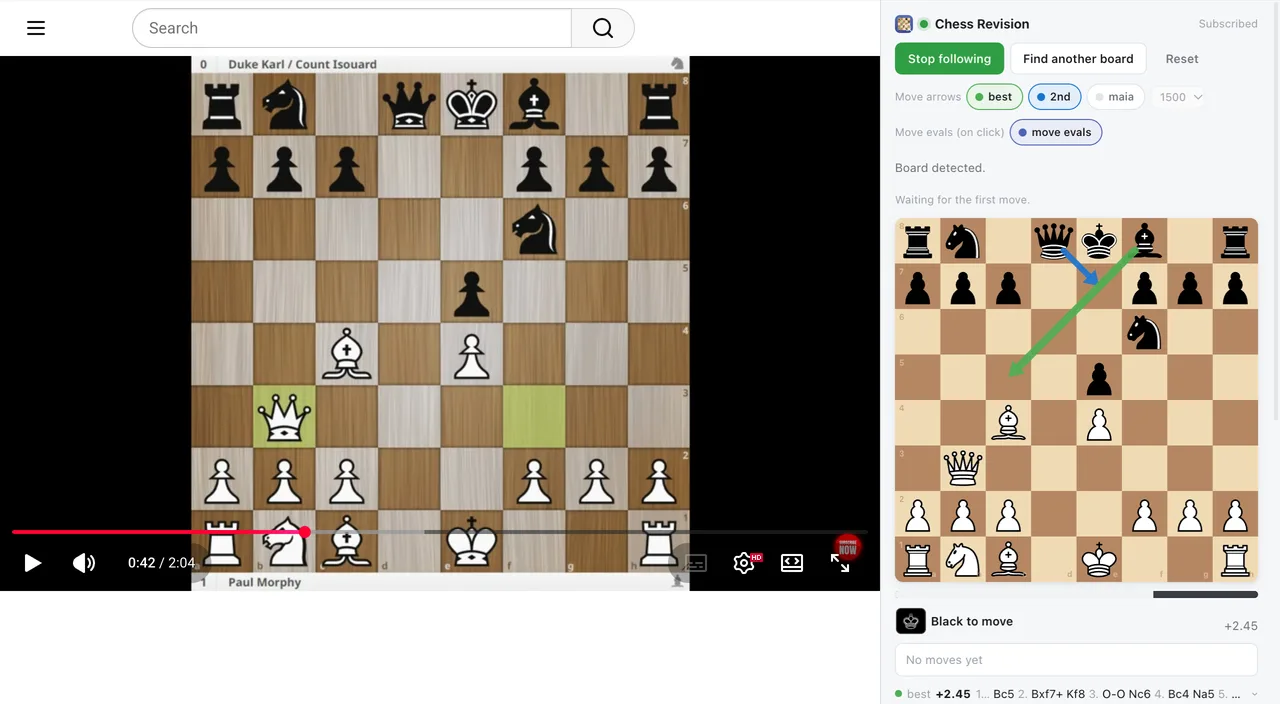
The Chess Revision extension opens in Chrome's side panel and follows a board on any page: a stream, a video, a puzzle site or a game you are watching. Nothing to set up on the page itself. Play on from any position yourself or against Maia, review the game, import your games from Lichess and Chess.com and keep every game under Played.
It finds the board, reads every move and keeps the move list as the game goes on.
The engine's best move and the move a player at your rating would play, drawn as arrows.
Click a piece to see where it can go and what each of those moves is worth.
A Premium subscription from the app works in the extension too: link it with the code in the app's Settings. One free game a day without one.
A Mac app with a Safari extension. Click its button on any page with a chess board, a broadcast, a stream or a video, and the panel follows the game move by move. Play on from any position yourself or against Maia, review the game, import your games from Lichess and Chess.com and keep every game under Played.
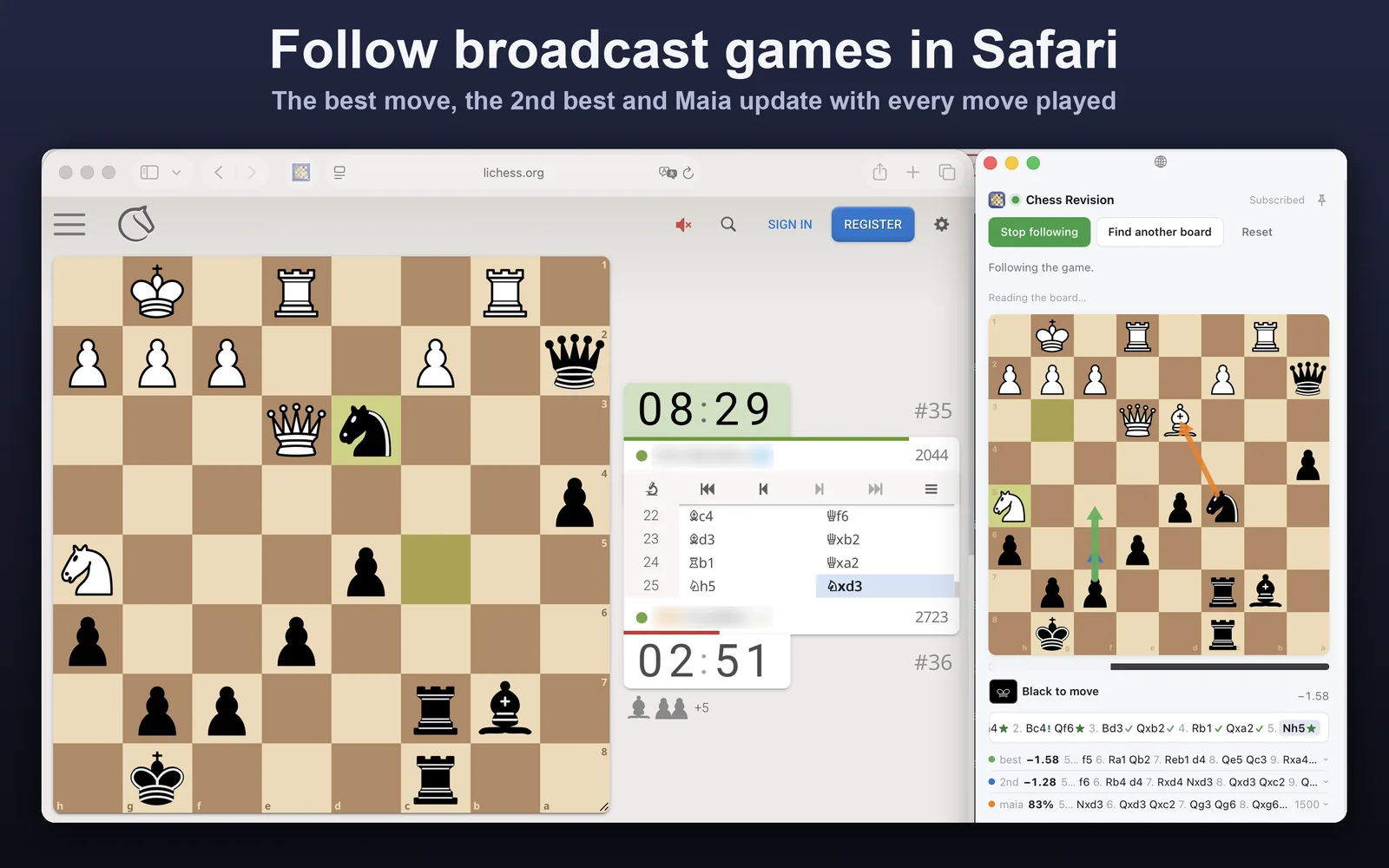
It finds the board, reads every move and keeps the move list as the game goes on.
The engine's best and second-best move and the move a player at your rating would play, drawn as arrows.
Pin the board and it floats above other windows, so you can watch a video full screen and still see the analysis.
The same App Store subscription covers iPhone, iPad and Mac. Already subscribed on iPhone? Choose Restore purchases in the Mac app.
The same extension as in Chrome, in Firefox's sidebar. It follows the game on any page, shows the best and the human move, reviews your games and imports them from Lichess and Chess.com.
Short, plain and worth a read.